

OpenClaw 汉化版 npm 安装、卸载与升级教程
一、安装 Node.js
根据官方安装指南,OpenClaw 要求:
Node.js >= 22.12.0如果你还没有安装 Node.js,可以按你的系统选择下面一种方式。
Windows
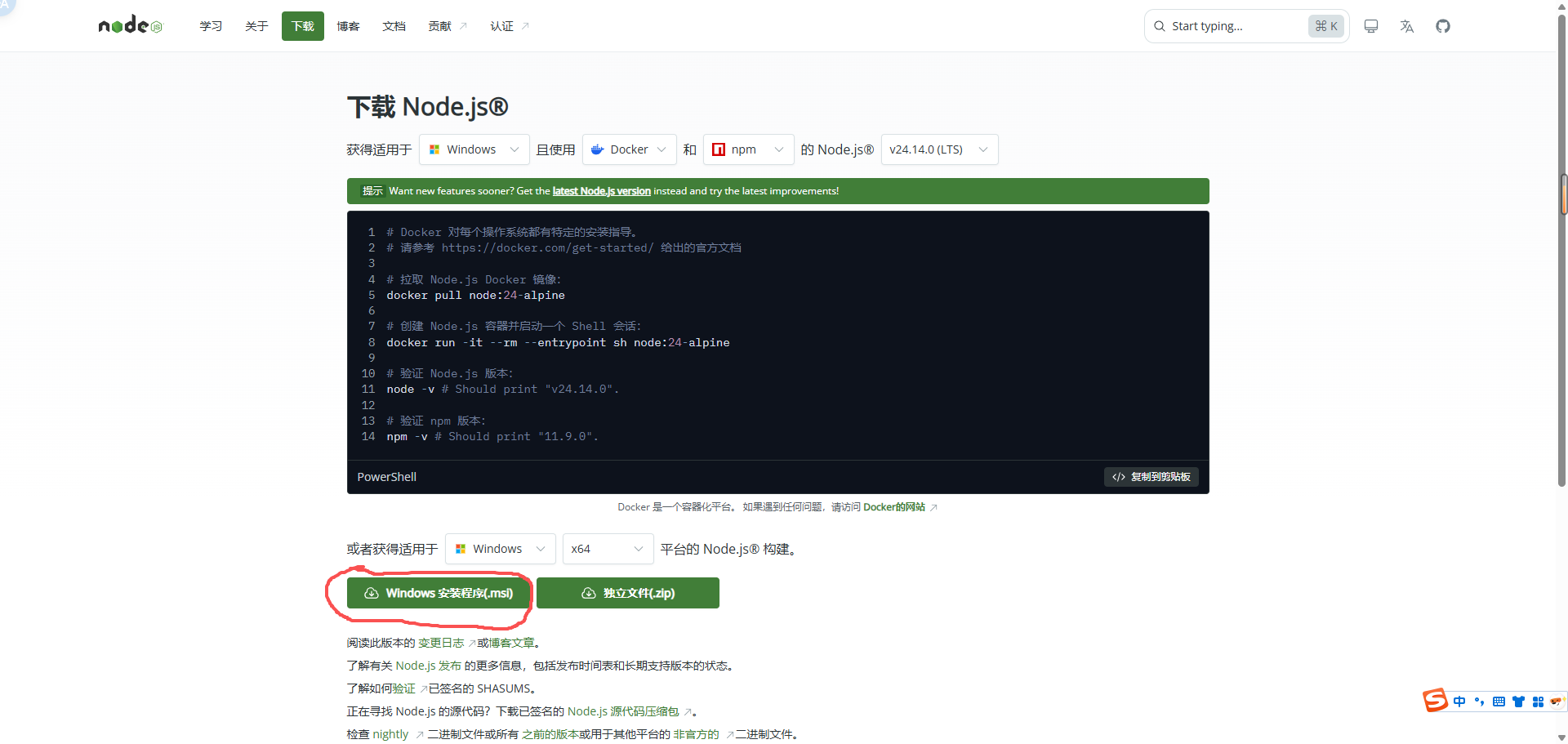
访问 Node.js 官网下载页面 下载 LTS 版本安装包并安装。
Ubuntu / Debian
curl -fsSL https://deb.nodesource.com/setup_22.x | sudo -E bash -sudo apt-get install -y nodejsCentOS / RHEL
curl -fsSL https://rpm.nodesource.com/setup_22.x | sudo bash -sudo yum install -y nodejs安装完成后检查版本
node -vnpm -v二、安装 OpenClaw 汉化版
官方 npm 安装命令:
npm install -g @qingchencloud/openclaw-zh@latest如果你在国内下载慢,可以直接使用官方文档里的镜像源:
npm install -g @qingchencloud/openclaw-zh@latest --registry=https://registry.npmmirror.com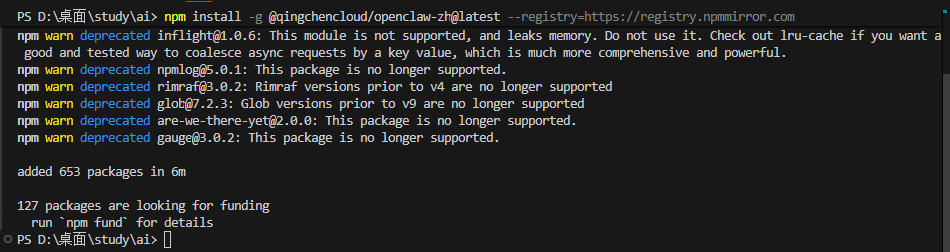
三、初始化配置(图文详解)
运行初始化命令:
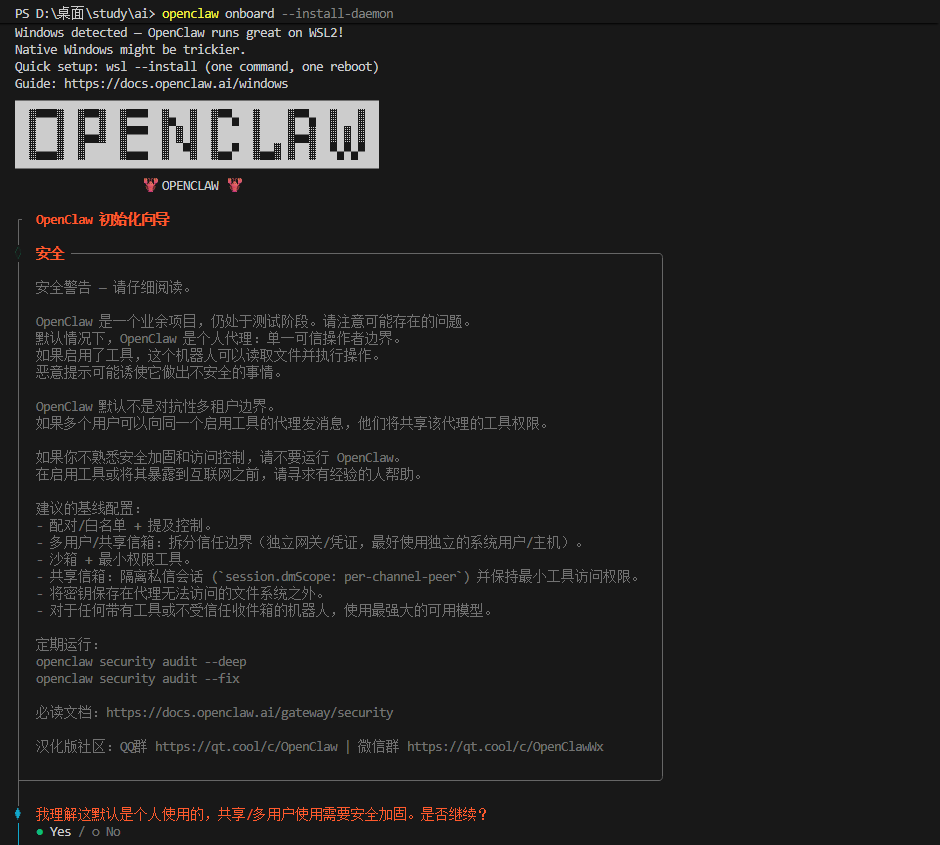
openclaw onboard --install-daemon按照界面提示依次完成以下步骤:
初始化配置选择 yes
选择快速开始

选择模型提供商(自建选择自定义)
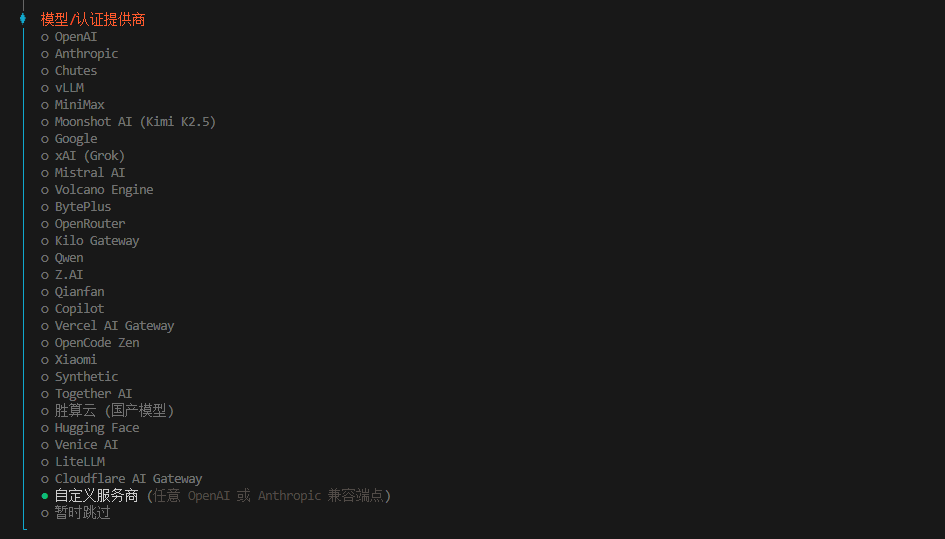
输入 URL、选择密钥、输入令牌回车
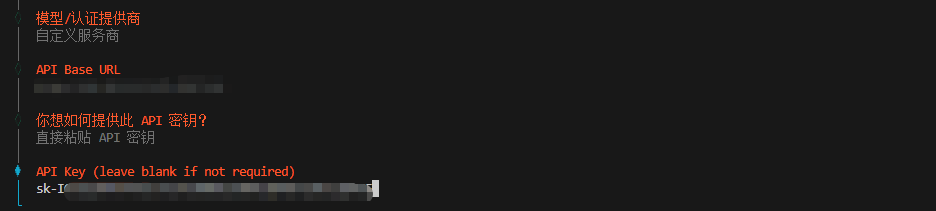
再回车,输入模型名称(如 gpt-5.4)回车

直接回车两次

四、配置 Telegram 机器人(可选)
如果想通过 Telegram 使用 OpenClaw,需要先创建机器人。
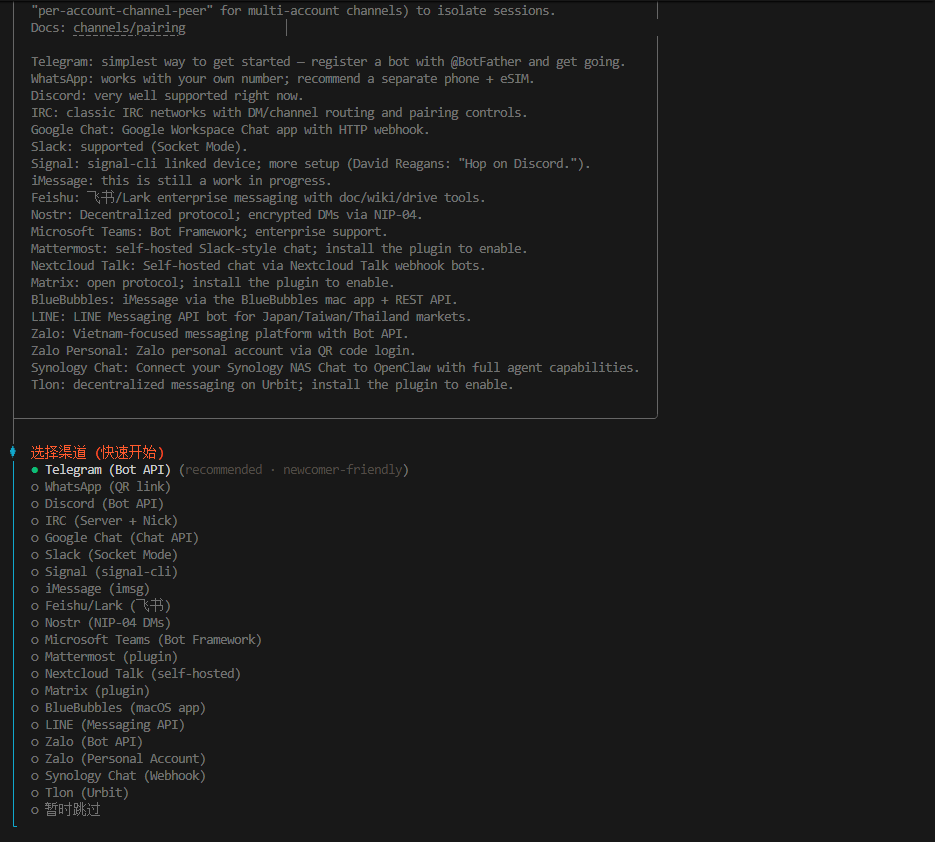
选择渠道(以 Telegram 为例)
在 Telegram 中搜索 @BotFather
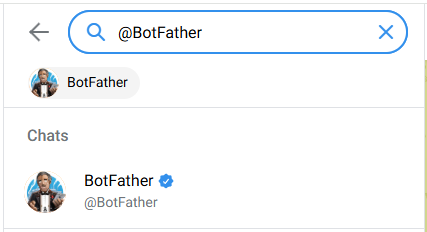
对话输入 /newbot,输入机器人名称,再输入机器人用户名,得到 token
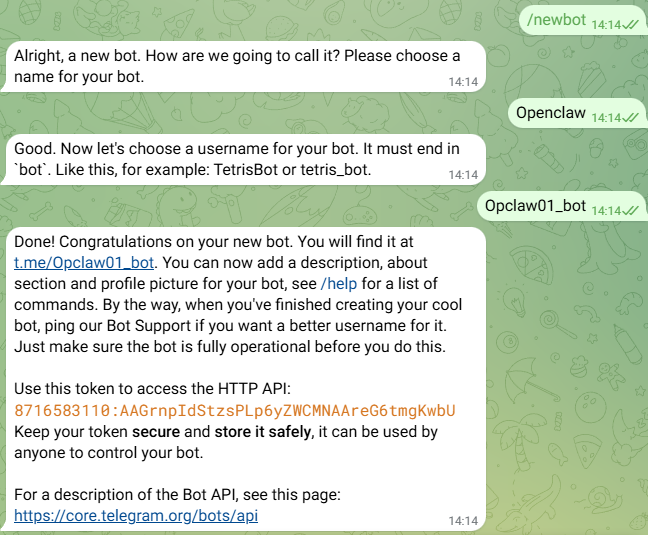
回到电脑终端,输入 Telegram 机器人的 token

五、完成配置
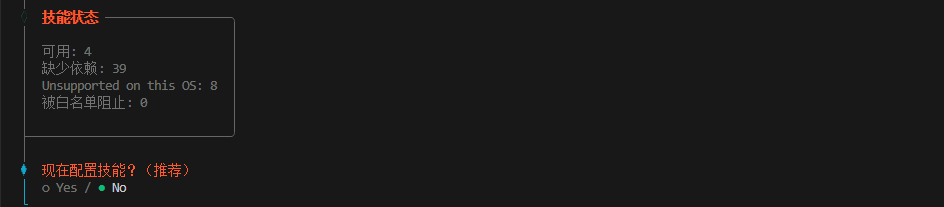
技能先不配置,选择 no
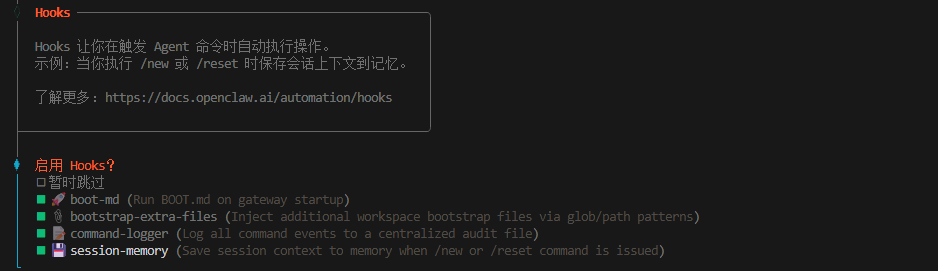
Hooks 全部点击空格勾选,然后回车
安装成功
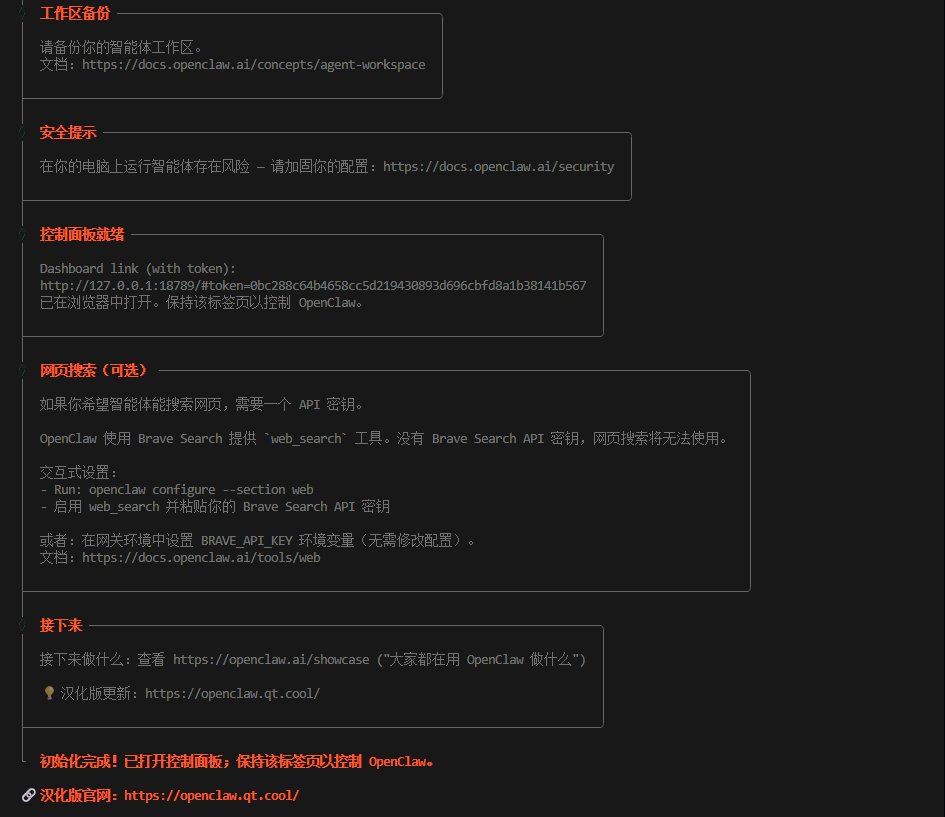
六、启动与访问
启动 OpenClaw
openclaw gateway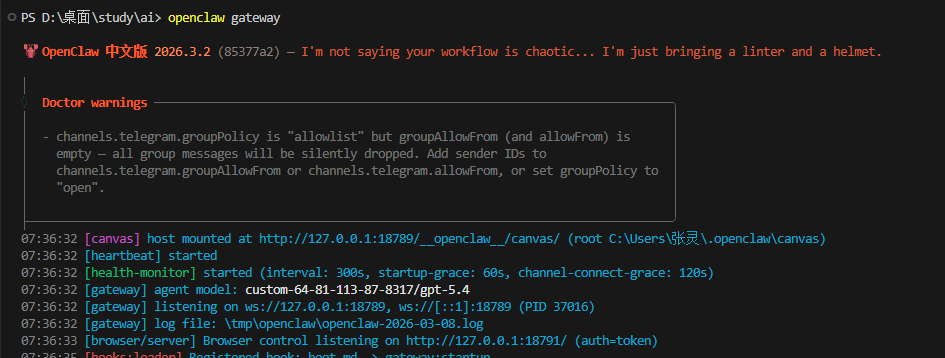
打开 Dashboard 控制台
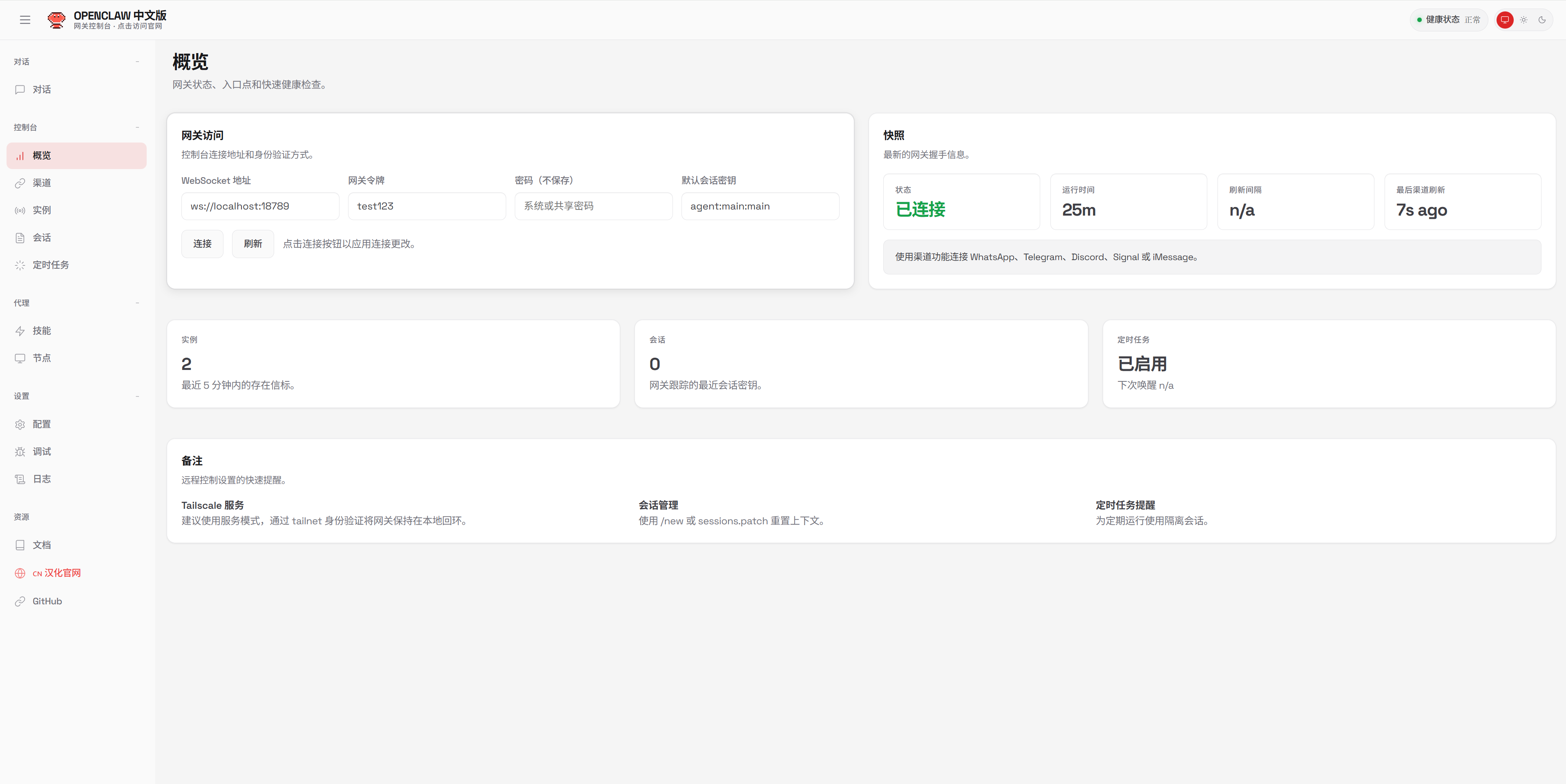
openclaw dashboard或手动访问 http://localhost:18789
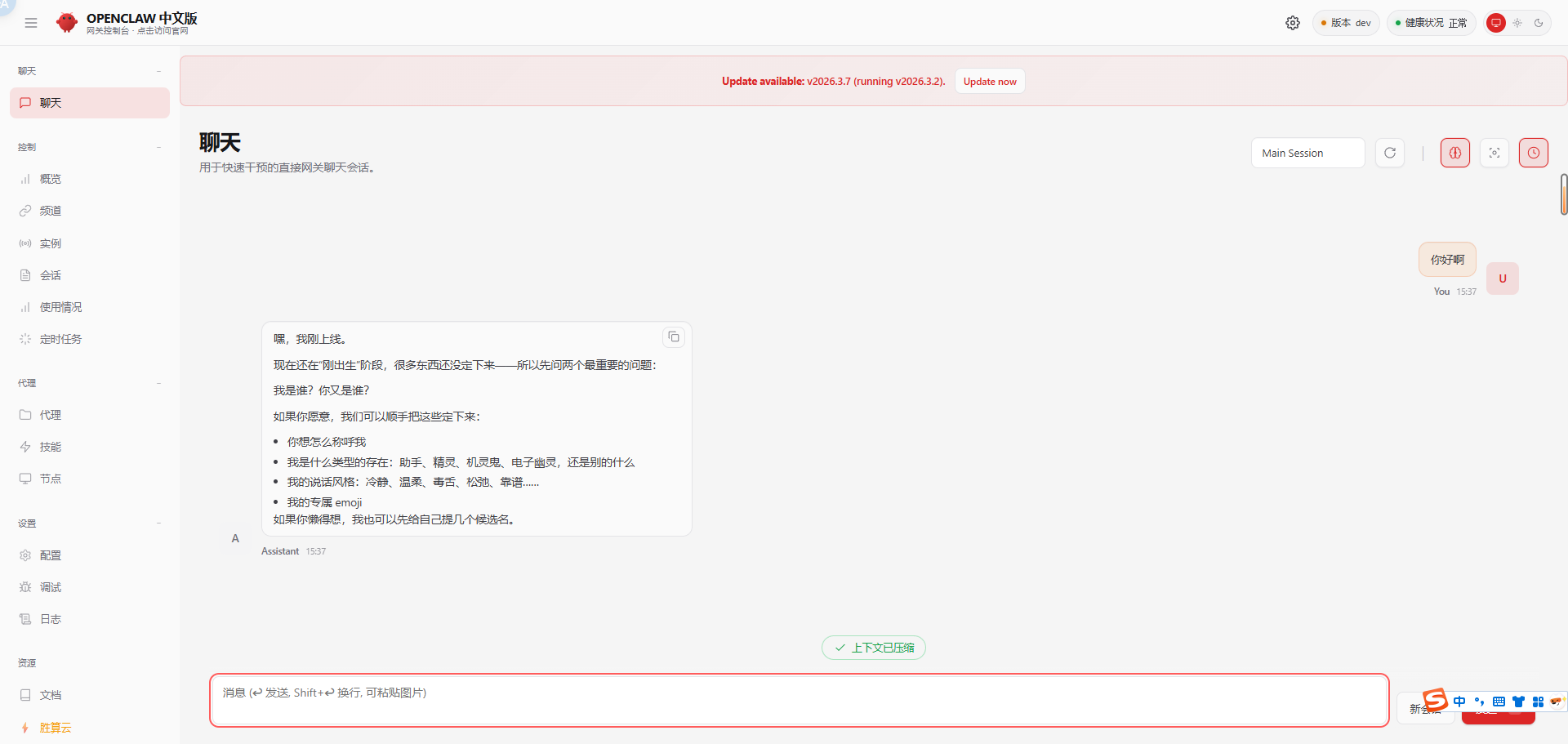
七、修复无法打开浏览器问题
如果 OpenClaw 无法打开浏览器,需要修改配置文件。
找到配置文件
路径:C:\Users\用户名\.openclaw\openclaw.json
修改 profile 为 full
找到 tools 部分,将 profile 改为 full:
"tools": { "profile": "full", "web": { "search": { "enabled": true }, "fetch": { "enabled": true } } },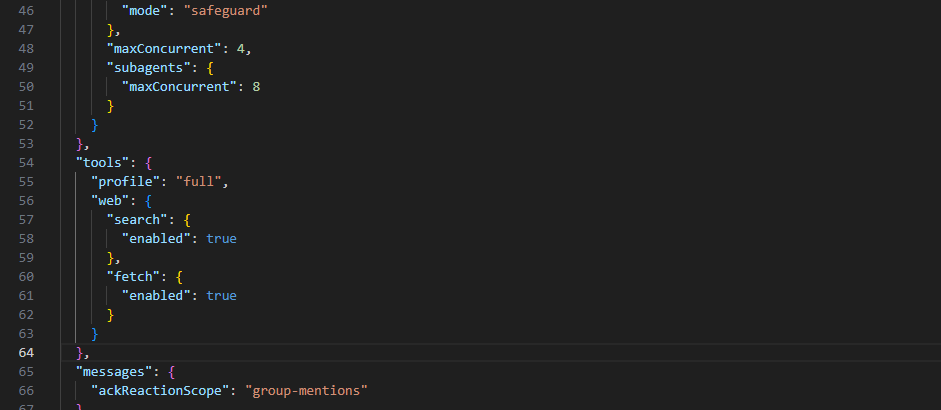
修改完成后重启 OpenClaw 服务即可。
补充:Telegram 渠道提权配置
如果你希望在 Telegram 渠道里允许指定账号使用提权能力,可以继续在 openclaw.json 的 tools 配置里补充下面这段:
"tools": { "profile": "full", "web": { "search": { "provider": "brave" } }, "elevated": { "enabled": true, "allowFrom": { "telegram": [ "123456789" ] } } },说明:
provider: "brave":把搜索提供商设置为braveenabled: true:开启提权能力allowFrom.telegram:只允许这里填写的 Telegram 用户 ID 使用提权123456789:记得替换成你自己的 Telegram 数字 ID
修改完成后同样需要重启 OpenClaw 服务。
八、常用管理命令
# 查看状态和诊断openclaw statusopenclaw doctor
# 重启服务openclaw gateway restart
# 守护进程管理openclaw daemon startopenclaw daemon stopopenclaw daemon restartopenclaw daemon status
# 其他常用命令openclaw dashboard # 打开网页控制台openclaw config # 查看/修改配置openclaw skills # 管理技能openclaw --help # 查看帮助九、卸载教程
卸载 CLI:
npm uninstall -g @qingchencloud/openclaw-zh删除配置(可选,不可恢复):
rm -rf ~/.openclaw卸载守护进程:
macOS
launchctl unload ~/Library/LaunchAgents/com.openclaw.plistrm ~/Library/LaunchAgents/com.openclaw.plistLinux
sudo systemctl stop openclawsudo systemctl disable openclawsudo rm /etc/systemd/system/openclaw.servicesudo systemctl daemon-reload十、更新升级
升级到最新版:
npm update -g @qingchencloud/openclaw-zh或使用 CLI 检查更新:
openclaw update官方来源
- 官方仓库:https://github.com/1186258278/OpenClawChineseTranslation
- 官方安装指南:https://github.com/1186258278/OpenClawChineseTranslation/blob/main/docs/INSTALL_GUIDE.md
- 官方 README:https://github.com/1186258278/OpenClawChineseTranslation/blob/main/README.md
如果后续命令有变化,以官方仓库里的最新文档为准。
文章分享
如果这篇文章对你有帮助,欢迎分享给更多人!